News OpenKM version 8.2.4 Version 8.2.x

Version 8.2.4 includes all the improvements incorporated in the 8.1.21 version, and additionally introduces the following exclusive new features:

Visual Metadata Editor in OpenKM

Visual Metadata Editor in OpenKM

OpenKM introduces a new visual designer to edit existing metadata groups from the Administration section.

Add and configure fields through a graphical interface, simplifying metadata maintenance without manually editing XML files.

News OpenKM version 8.1.21 Version 8.1.x

Metadata field descriptions in OpenKM

Metadata Field Descriptions in OpenKM

OpenKM introduces the description attribute in metadata XML definitions.

This enhancement allows administrators to add explanations or instructions to metadata fields, displayed as a help icon in the form when users fill in document metadata.

This feature improves form usability and helps maintain clearer and more consistent data.

Share searches between users in OpenKM

Share searches between users in OpenKM

This video shows how a search created by one user in OpenKM can be shared with other users using the Shared and User news options.

The behavior is demonstrated by logging in with another user and viewing the shared searches from Stored searches and the Dashboard.

Reorder dashboard tabs in OpenKM

Reorder dashboard tabs in OpenKM

This video shows how to change the order of Dashboard tabs in OpenKM using the edit option and drag-and-drop functionality, allowing a more personalized user experience.

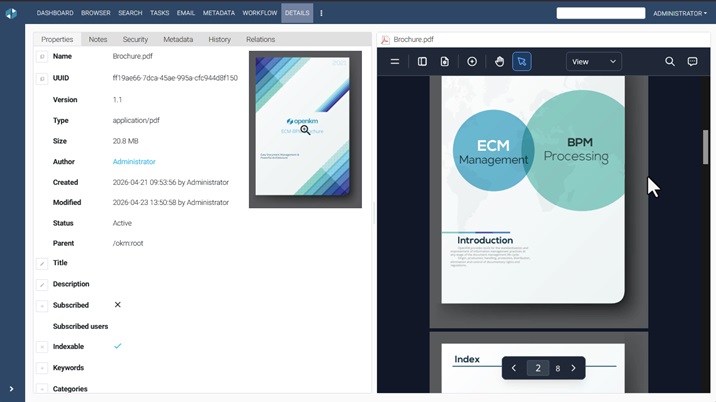
Navigate documents from the preview view in OpenKM

This video shows how to preview documents in OpenKM and navigate through multiple files directly from the preview view, without selecting each document individually from the browser.

Start OKMFlow workflows without a node

Navigate documents from the preview view in OpenKM

This video shows how to start OKMFlow workflows directly from OpenKM without selecting a document or folder.

This new feature enables greater flexibility for running global or administrative processes.

New document previewer in OpenKM

New document previewer in OpenK

This video introduces the new document previewer in OpenKM, featuring printing, export options, sidebar tools, and page display settings such as spread mode and scroll direction. Learn how to activate it from your profile and enhance your document viewing experience.

OpenKM Adjustable Interface Panels

OpenKM Adjustable Interface Panels

This video presents the new dynamic panel resizing feature in OpenKM.

Using the splitter, users can easily adjust the size of interface sections by dragging the divider left or right, adapting the layout to their needs.

Contact us

Don't hesitate to contact us

OpenKM in 5 minutes!